
The current marketing narrative surrounding generative video suggests that cinematic production is now a “one-click” affair triggered by a simple text prompt. For creative operations leads tasked with building repeatable, brand-compliant asset pipelines, this narrative is largely a fantasy. Text-to-video (T2V) models are inherently volatile; they lack the spatial precision required to maintain character consistency or architectural logic over multiple iterations. When a prompt for “a person walking through a forest” yields three different faces and a shifting landscape across four generations, the process ceases to be a tool and becomes a liability.
To operationalize AI video, we must shift away from the “prompt-and-pray” methodology of T2V. The industry is moving toward image-to-video (I2V) workflows, where a high-fidelity static frame serves as a structural anchor. By treating the image as the single source of truth, creative teams can enforce visual guardrails that text prompts simply cannot provide. This approach allows for a controlled translation of static intent into temporal motion, bridging the gap between generative experimentation and commercial utility.
The Production Gap: Why Text-to-Video Often Fails at Scale
The fundamental flaw in pure text-to-video generation is the semantic gap between language and pixels. A text prompt provides intent, but it does not define geometry. When a model interprets a prompt, it is essentially hallucinating every frame from scratch based on a statistical probability of what follows the last. This leads to common production failures: limbs that merge into backgrounds, clothing that changes color mid-stride, and the dreaded “shimmering” effect where textures refuse to stay seated on a surface.
For those in creative operations, these artifacts are not just aesthetic nuisances; they are technical blockers. If an asset requires twelve hours of post-processing to fix a three-second generative error, the efficiency gains of AI are neutralized. I2V solves this by providing a spatial map. When a model is fed a specific image, it isn’t guessing what the scene looks like; it is calculating how the existing pixels should shift over time. This reduces the cognitive load on the model, allowing it to focus its compute power on motion vectors rather than scene composition. However, even with an image anchor, the results are rarely perfect on the first pass, and teams must be prepared for the reality that AI motion remains a game of probabilities, not certainties.
Generating the Anchor: Using High-Fidelity Static Seeds
The reliability of an I2V workflow is entirely dependent on the quality of the source image. In a professional pipeline, this image is rarely the first thing that comes out of a generator. It is a carefully curated “seed” that establishes lighting, texture, and composition.
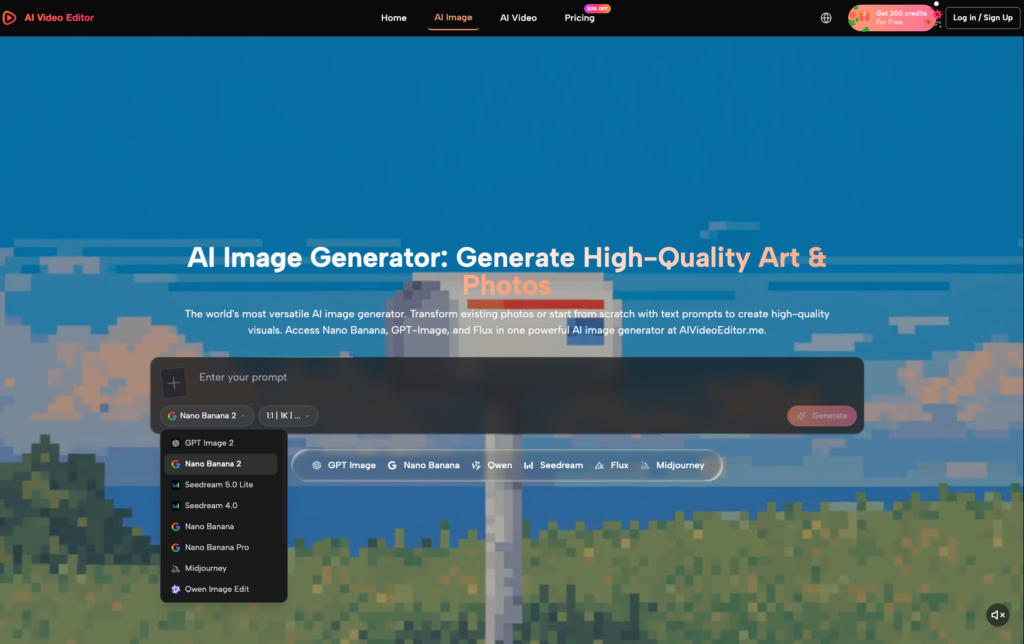
Using tools like the AI Video Editor to generate these initial seeds allows creators to toggle between different foundational models, such as Flux or GPT-Image, before moving into motion. The goal here is to create a seed that has enough “negative space” for motion to occur. A common mistake is using an overly cluttered static image where every pixel is packed with detail; this often confuses motion models, leading to distorted movement as the AI struggles to figure out what is foreground and what is background.
Evidence from production stress tests suggests that higher-resolution static seeds—specifically those generated with attention to sharp edges and consistent lighting—result in fewer temporal artifacts. When the model has a clear understanding of where an object ends and the background begins, the resulting motion is significantly more stable. That said, even the best static seed cannot account for the “black box” nature of how some models interpret depth, leading to occasional instances where the motion ignores the physics of the source image entirely.
Navigating the Model Landscape: Kling vs. Veo vs. Wan
Not all motion models are created equal, and a benchmark-driven approach is necessary to determine which engine fits a specific use case. In the current landscape, models like Kling, Google Veo, and Wan represent the front line of I2V capabilities, but they each exhibit specific biases and failure points.
Kling has gained a reputation for handling human articulation with surprising grace. If the workflow requires a character to perform complex tasks—like eating or typing—Kling tends to maintain limb integrity better than its peers. However, it can struggle with extreme lighting changes. On the other hand, Google Veo often excels in cinematic sweeping shots and environmental consistency, making it a preferred choice for architectural visualizations or landscape transitions. Wan 2.1 has shown promise in rapid motion, though it often requires more aggressive prompting to prevent the “dream-like” blurring that plagues many generative outputs.
For teams looking to Edit Videos Online, the ability to swap between these models within a single interface is critical. A workflow might involve generating the environment in Veo and then using a different model to handle specific character movements. This modularity is the only way to mitigate the current limitations of the technology. No single model currently provides a “silver bullet” for all types of motion, and expecting one to do so is a recipe for project delays.
Controlling the Motion: Parameters for Repeatable Results
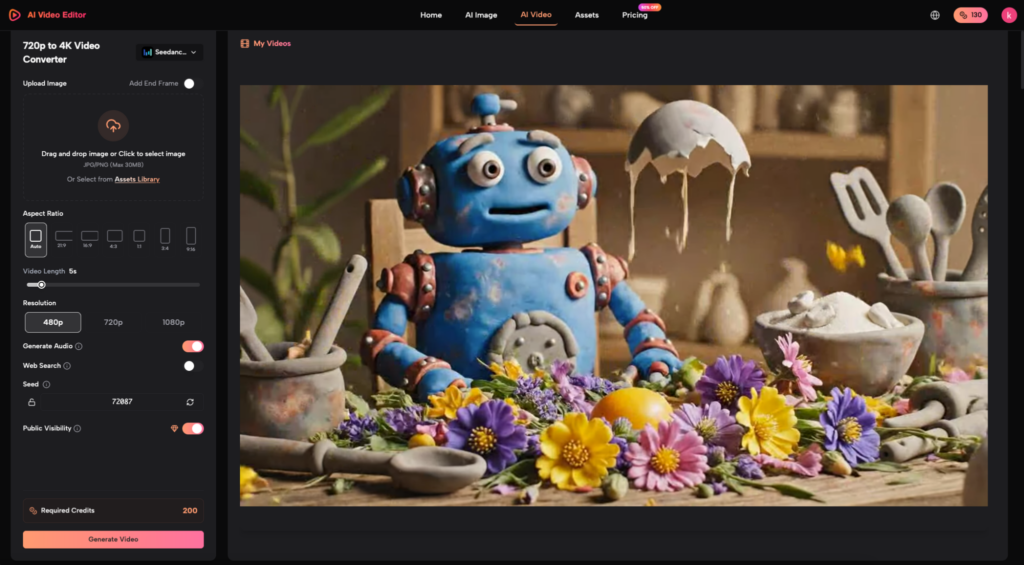
Once the anchor image is selected and the model is chosen, the next layer of control involves motion parameters. Most professional-grade platforms now offer “motion buckets” or “motion sliders”—numerical values that dictate how much the pixels are allowed to move from their original coordinates.
A common pitfall for Video Editor AI users is setting the motion intensity too high. While a high setting produces dramatic movement, it also increases the likelihood of the model “breaking” the image. For a repeatable asset pipeline, it is often better to generate multiple clips at low-to-medium motion intensity and stitch them together in post-production than to try and force a single, complex 10-second movement.
Camera controls—pan, tilt, zoom—are equally vital. By explicitly telling the AI how the “camera” moves, you reduce the model’s tendency to animate the subject in unpredictable ways. There is a visible trade-off here: the more you constrain the camera, the more stable the subject remains, but the less “natural” the generative motion might feel. We must also acknowledge a persistent uncertainty: no current I2V model can guaranteed zero temporal drift over a clip longer than 5 to 10 seconds. The math simply begins to break down as the “memory” of the original seed image fades with every subsequent frame.
Refinement and Post-Processing: The Final 20%
The final stage of a professional I2V workflow is arguably the most important: the cleanup. Raw generative output is almost never delivery-ready. It often suffers from resolution drops during the motion injection phase, as the model prioritizes movement over pixel density.
Within the AI Video Editor ecosystem, tools like AI Video Upscalers and Enhancers are not optional; they are structural necessities. These tools take the 720p or lower-quality output typical of raw generation and re-inject the detail lost during the process. Furthermore, the use of traditional editing techniques—color grading to hide noise, speed ramping to smooth out generative stutters, and tight cropping to remove peripheral artifacts—is what separates a hobbyist clip from a commercial asset.
Creative operations leads must realize that the “human-in-the-loop” is not a temporary workaround, but a permanent fixture of the generative pipeline. The AI handles the heavy lifting of frame-by-frame interpolation, but the human provides the editorial judgment that models lack. Relying on an automated Edit Videos Online workflow still requires a skilled operator to decide when a clip is “good enough” or when the generative “hallucinations” have crossed the line from artistic to broken.
In conclusion, scaling AI video production requires a disciplined transition from text-centric workflows to image-anchored ones. By focusing on high-fidelity seeds, selecting the right model for the specific motion task, and maintaining a rigorous post-processing routine, teams can finally move beyond the novelty of generative AI and toward a reliable, scalable production engine. The technology is far from perfect, and the “ghost in the machine” remains a factor, but with a structured I2V approach, the volatility becomes manageable.